
Digital image correlation and motion analysis software
CORRELATE
Turn a recorded test into a clear picture of strain, displacement and movement.
CORRELATE brings optical measurement and engineering evaluation into one workflow. Analyse image sequences, investigate local deformation and communicate results through colour maps, curves and reports.
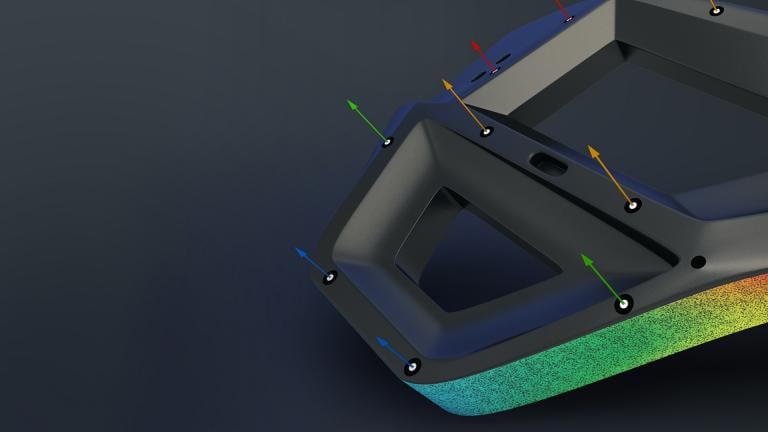
From images to engineering evidence
What does CORRELATE do?
CORRELATE uses digital image correlation (DIC) and point tracking to evaluate how a visible surface or selected markers move over time. Suitable image data can reveal surface strain, displacement, rotation and changes in angle, giving you a spatial view of a test rather than a single transducer reading.
In an ARAMIS stereo workflow, calibrated camera images support three-dimensional surface measurements. A 2D workflow evaluates movement in the image plane. Choose the acquisition method around the motion you expect and the result you need.
Read our guide to digital image correlation or explore ARAMIS.
See CORRELATE analysis of material tests, impact and component movement.
Typical applications
See the result across different tests
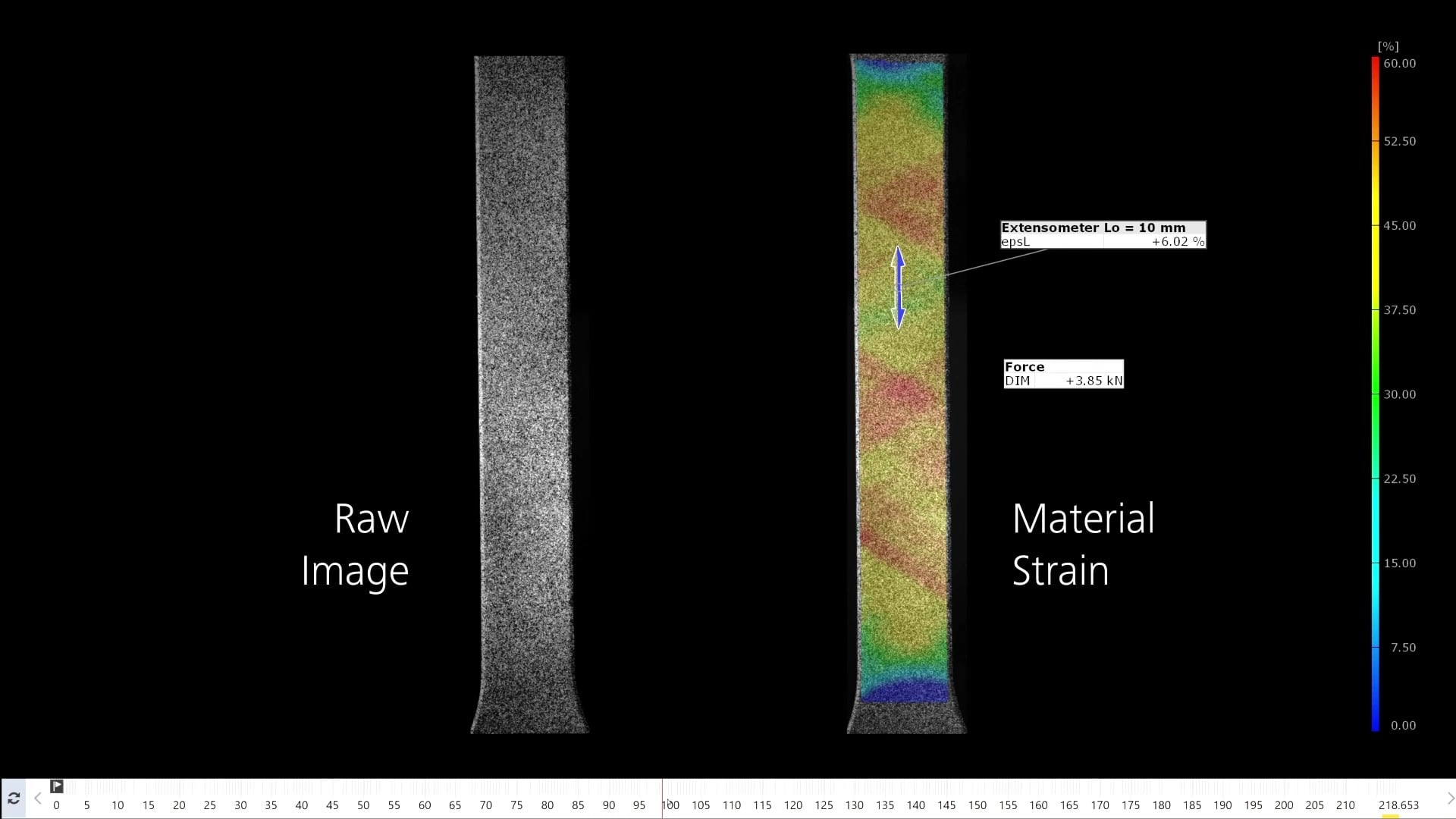
Material testing and virtual extensometers
Investigate strain across a tensile, compression or bending specimen. Compare virtual gauge lengths, locate strain concentrations and review the corresponding force response. Stress–strain calculations also need suitable force data, specimen geometry and test assumptions.
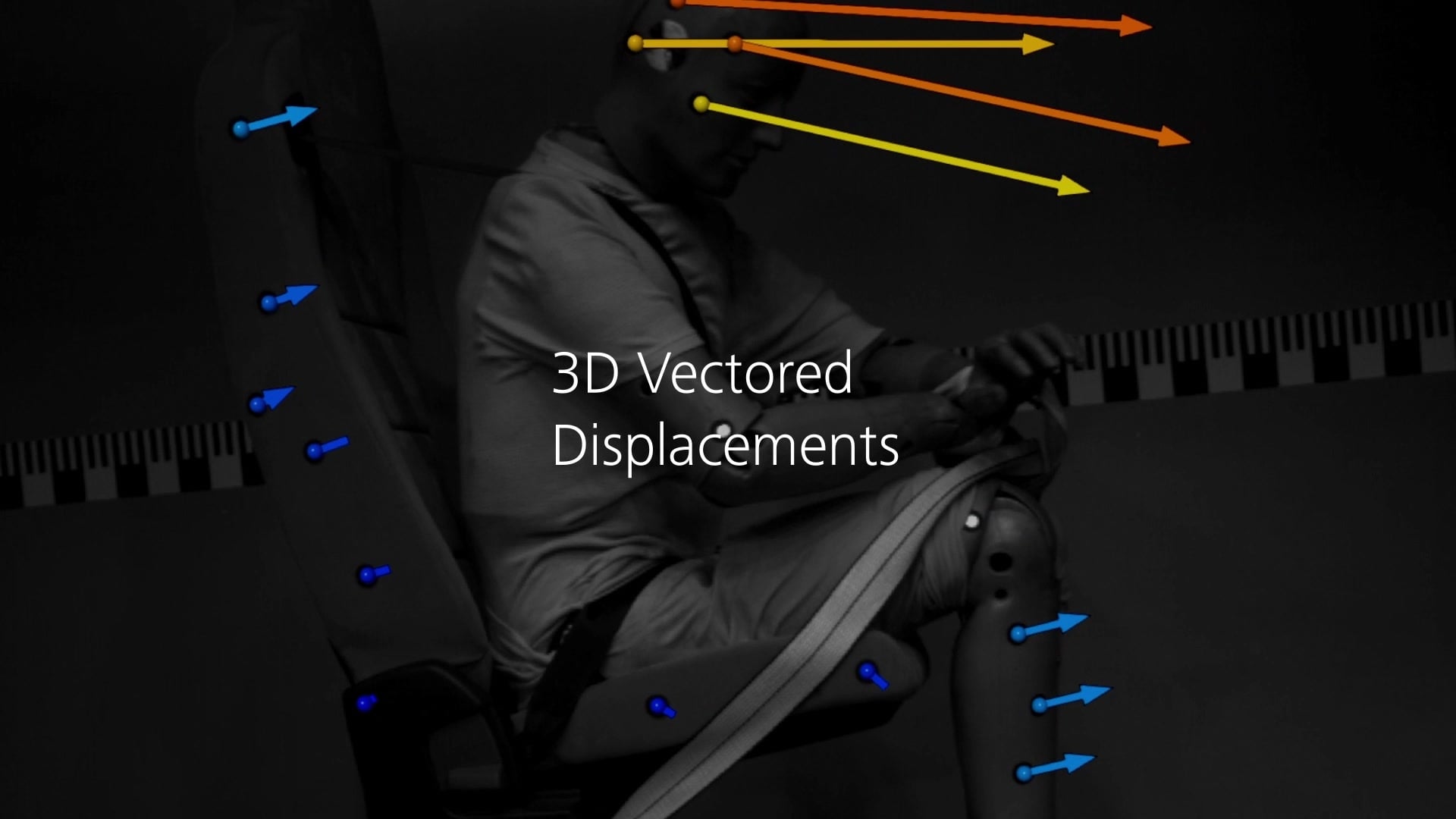
Impact and transient motion
Follow selected points through a short-duration event. Review displacement and rotation against time, and derive velocity or acceleration where image quality and timing support the evaluation. Align motion results with suitable external test signals.
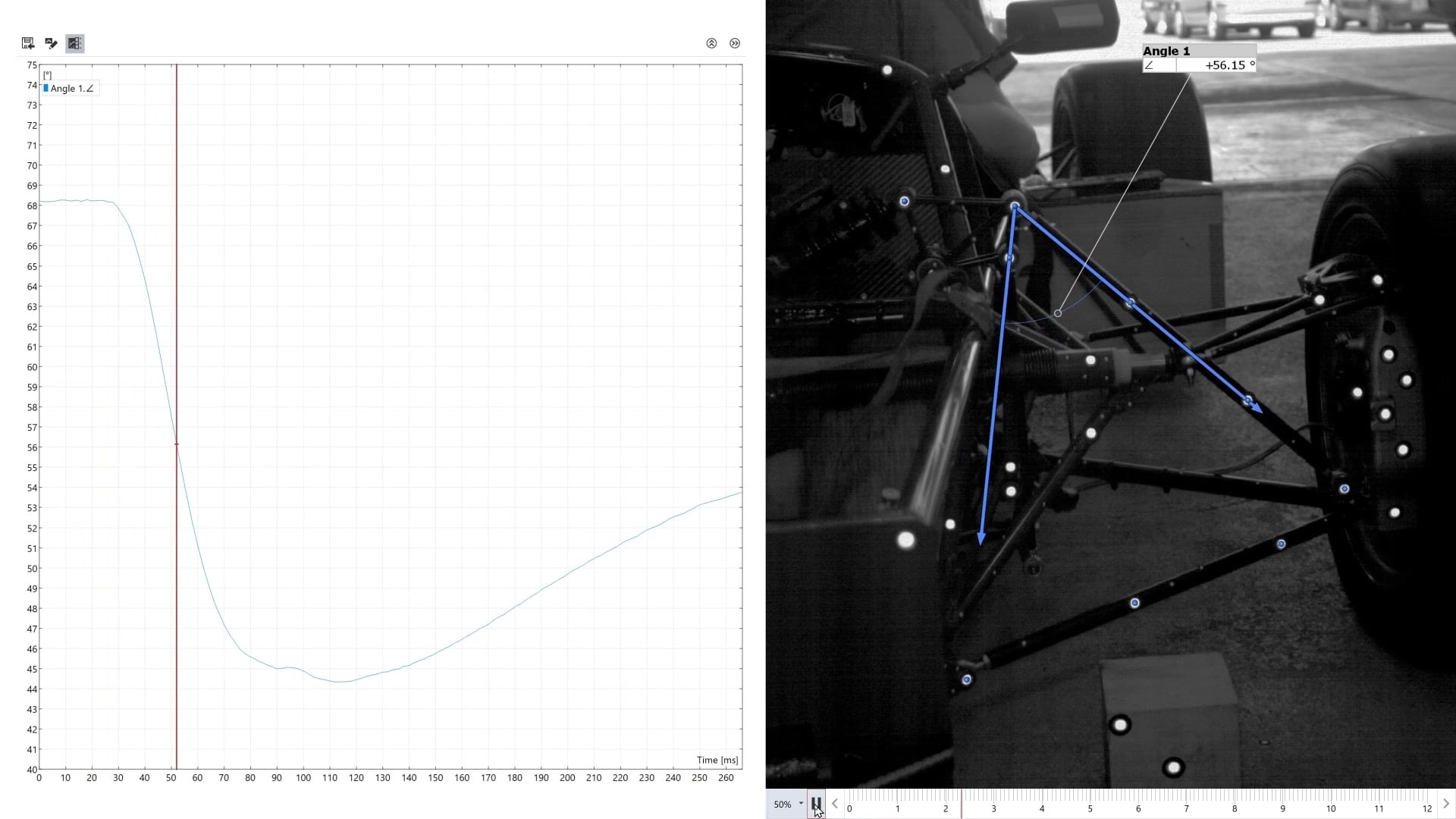
Component movement and assembly behaviour
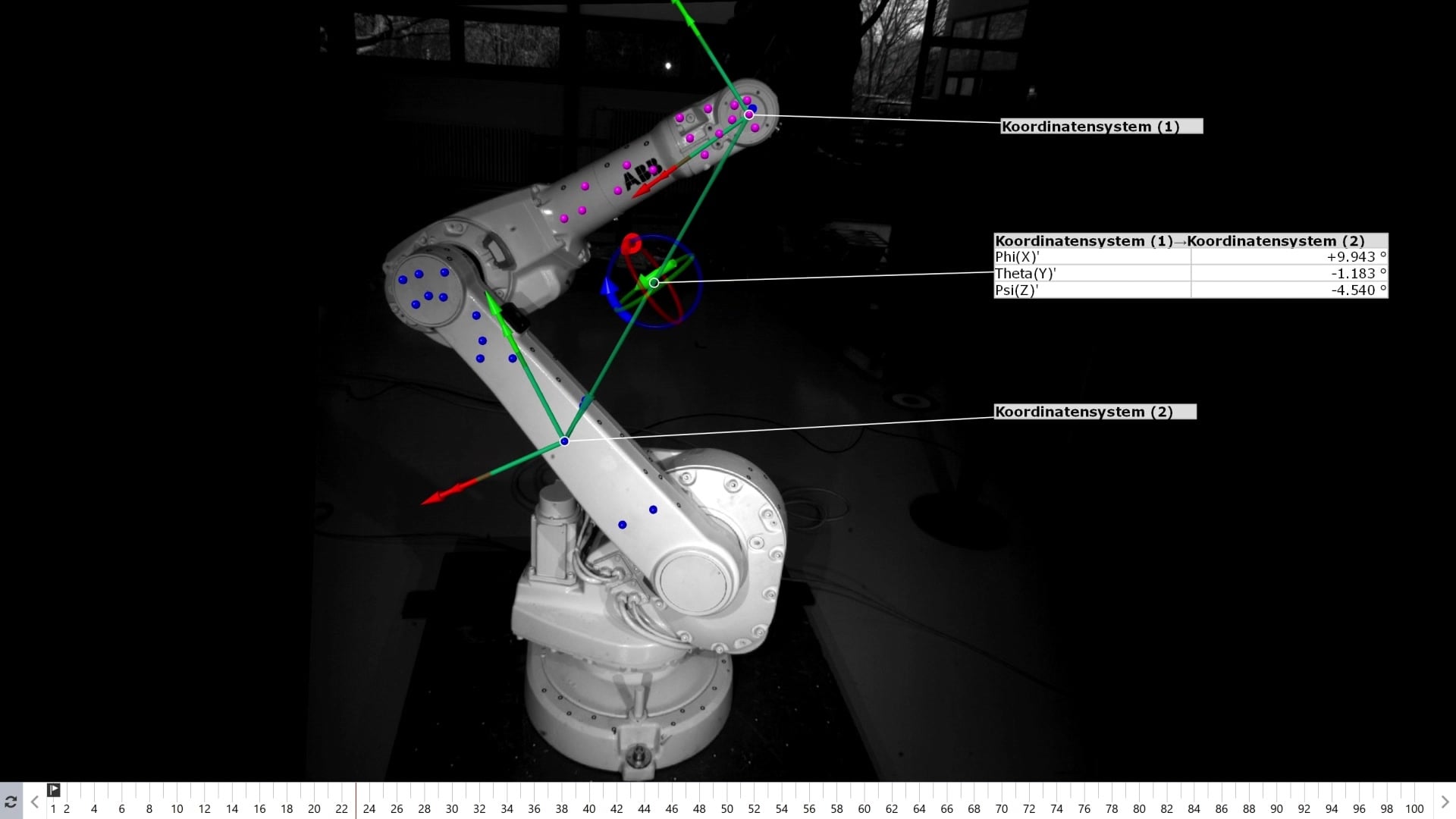
Track relative movement at supports, joints or other features. Define a meaningful reference frame and compare the response at several locations. Point tracking can answer selected-motion questions where a continuous strain field is not needed.
Research and simulation comparison
Use experimental motion and strain results to investigate a mechanism or compare with numerical predictions through supported FEM-data workflows. Align coordinates, loading and evaluation stages before interpreting differences. Education supplies Pro analysis functionality for eligible non-commercial academic and research work.
Plan, evaluate, repeat
A clear route from recording to report
Define the measurement
Identify the quantity, direction, gauge length or component motion you need to evaluate. Set the camera arrangement, timing, illumination and surface preparation around the expected deformation before recording.
Build the evaluation
Select the region and reference stage, establish an alignment and inspect the strain or displacement field. Use local results and curves to investigate the relevant features, rather than relying only on the highest colour-map value.
Make repeated work consistent
With Pro, preserve the inspection history and dependencies in a parametric project. Reusable templates help carry the same evaluation and reporting structure into subsequent specimens while allowing the engineer to check each result.
Report the result in context
Combine result views, curves, tables and explanatory notes. Include the evaluation settings and coordinate conventions needed to interpret the output. Report and export capabilities depend on the selected licence.
Software packages
Choose your CORRELATE licence
Choose the evaluation tools and conditions of use for your work, then specify any ARAMIS sensor driver or acquisition options alongside the system.
Entry-level evaluation
CORRELATE Free
Start with a 30-day trial of the full Pro version. After 30 days, the software continues as CORRELATE Free with its non-parametric evaluation functionality.
Import 2D image and video series for DIC and point tracking. Analyse suitable otherwise acquired or imported 3D data within the Free feature limits. Combined with an ARAMIS system and compatible sensor driver, this is CORRELATE Essential Line.
Repeatable commercial analysis
CORRELATE Pro
Preserve evaluation steps and dependencies in a parametric project. Reuse templates, customise reports, work with supported native CAD formats and extend analysis through apps, Python scripting and supported exports.
Specify ARAMIS sensor drivers and acquisition functions separately for the data and test workflow.
Academic and research use
CORRELATE Education
Pro analysis functionality licensed exclusively for eligible non-commercial academic and research use. Education does not include Pro Line functionality.
An ARAMIS sensor driver is still required to import ARAMIS 3D measurement data. Discuss institutional eligibility and the intended use with Delta XD.
Advanced ARAMIS acquisition
CORRELATE Pro Line
Additional acquisition functions for compatible ARAMIS systems, including supported live tracking, ring-buffer recording and triggering from external signals.
Touch-probe workflows, compatible hardware and the required software scope are specified for the selected system. Pro Line is separate from the Education licence.
*Indicative system guide prices are subject to change. The quotation confirms the measuring volume, configured hardware, software scope and any additional services. Enquire with Delta XD to confirm the licence, sensor drivers, acquisition options and any support or training required. Education is restricted to eligible non-commercial academic and research use.
Inputs, evaluation and outputs
Match the data to the result
Image sequences and geometry
Free imports 2D image and video series and supports analysis of suitable otherwise acquired or imported 3D data within its non-parametric feature limits. Point clouds, meshes and supported basic CAD imports can be used in the evaluation. Pro adds parametric inspection, reusable templates, supported native CAD interfaces and programmable customisation.
A 2D image sequence does not supply calibrated stereo geometry by itself. Importing ARAMIS 3D measurement data requires the appropriate ARAMIS sensor driver. Specify the sensor, calibration, driver and analysis or acquisition options together.
Force, simulation and reporting
External signals, simulation results and additional scalar data can help place the optical response in context. Check the relevant data interface and software option for each source before planning the measurement.
Keep units, time bases, reference stages and coordinate systems consistent. A convincing report should make the evaluated quantity and its assumptions clear, including the gauge length and strain settings used for comparisons.
Plan the software around the test
CORRELATE questions, answered
Is CORRELATE Free a trial?
The software starts with a 30-day trial of the full Pro version. After 30 days, it becomes CORRELATE Free and continues with the Free licence’s non-parametric evaluation functionality. If you need Pro features beyond the trial, enquire about a Pro licence.
What is the difference between CORRELATE Free and Pro?
Free provides non-parametric evaluation and reporting. Pro adds a parametric inspection history, reusable project templates, supported native CAD imports, scripting and further customisation and export functions. See the factsheet for the detailed comparison.
Is the Free licence limited to 2D imports?
Its image and video import workflow is limited to 2D series. It can still analyse suitable otherwise acquired or imported 3D data, subject to the Free feature limits. ARAMIS 3D measurement-data import requires the appropriate sensor driver. Free does not include Pro’s parametric history and reusable templates.
Who can use CORRELATE Education?
Eligible academics and researchers can use Education for non-commercial work. It supplies the analysis functionality of Pro. Commercial activity requires the appropriate commercial licence; institutional eligibility and licence scope should be checked with Delta XD.
Does Education include Pro Line?
No. Education is the Pro analysis version licensed for eligible non-commercial education and research. It does not include Pro Line functionality. Importing ARAMIS 3D measurement data still requires an ARAMIS sensor driver, specified separately.
Can CORRELATE calculate strain and displacement?
Yes. With suitable data, CORRELATE supports full-field DIC and point-based evaluation of strain, displacement and deformation. The quantities available depend on the acquisition method, data quality and selected software configuration.
Can I reuse an evaluation across repeated specimens?
Pro supports parametric inspection and reusable project templates. Establish and validate the evaluation settings first, then use the template to apply a consistent structure while checking the data quality and result for each specimen.
Can CORRELATE compare measurements with FEA?
Supported FEM-data workflows and software options can assist comparisons between measured and simulated behaviour. Align the coordinate system, geometry, loading and stages of interest before interpreting the differences.
What computer do I need?
For the 2026 software, the guide recommends 12 or more logical processor cores, 64 GB RAM or more, a certified CUDA-compatible graphics card with Compute Capability 7.5 or above and at least 6 GB VRAM, and a 1 TB or larger NVMe SSD for the user profile and projects. It lists Windows 11 64-bit 24H2 as the recommended operating system. Large image sequences can need more memory, storage and processing power. Confirm the workstation around your dataset and use a supported Windows version. View the detailed system requirements (ZEISS ID sign-in required).
How much does CORRELATE Pro cost?
CORRELATE Pro starts from an indicative £12,158*. Education starts from £495* for eligible non-commercial academic and research use, and CORRELATE Free is free after the initial 30-day Pro trial. Prices are subject to change. Enquire with Delta XD for a quotation confirming the licence scope, deployment method, sensor drivers and any acquisition, support or training requirements.
Software and product resources
CORRELATE downloads
CORRELATE software factsheet
Compare software functions, evaluation tools and reporting capabilities.
Download PDF →
ARAMIS product brochure
Explore the optical strain and deformation systems used with CORRELATE.
Download PDF →Download CORRELATE software
Go to the ZEISS software download centre to access the installer and available versions. ZEISS ID sign-in is required.
Open software download centre →Talk to Delta XD
Discuss your CORRELATE workflow
Tell us which sensor or image source you use, the result you need and whether the work is commercial, academic or research.
For an existing project, include the image resolution, approximate number of stages and the formats you need to import or export. We can help define the licence and acquisition options for a representative evaluation.
