
Synchronisation, signals and lighting control
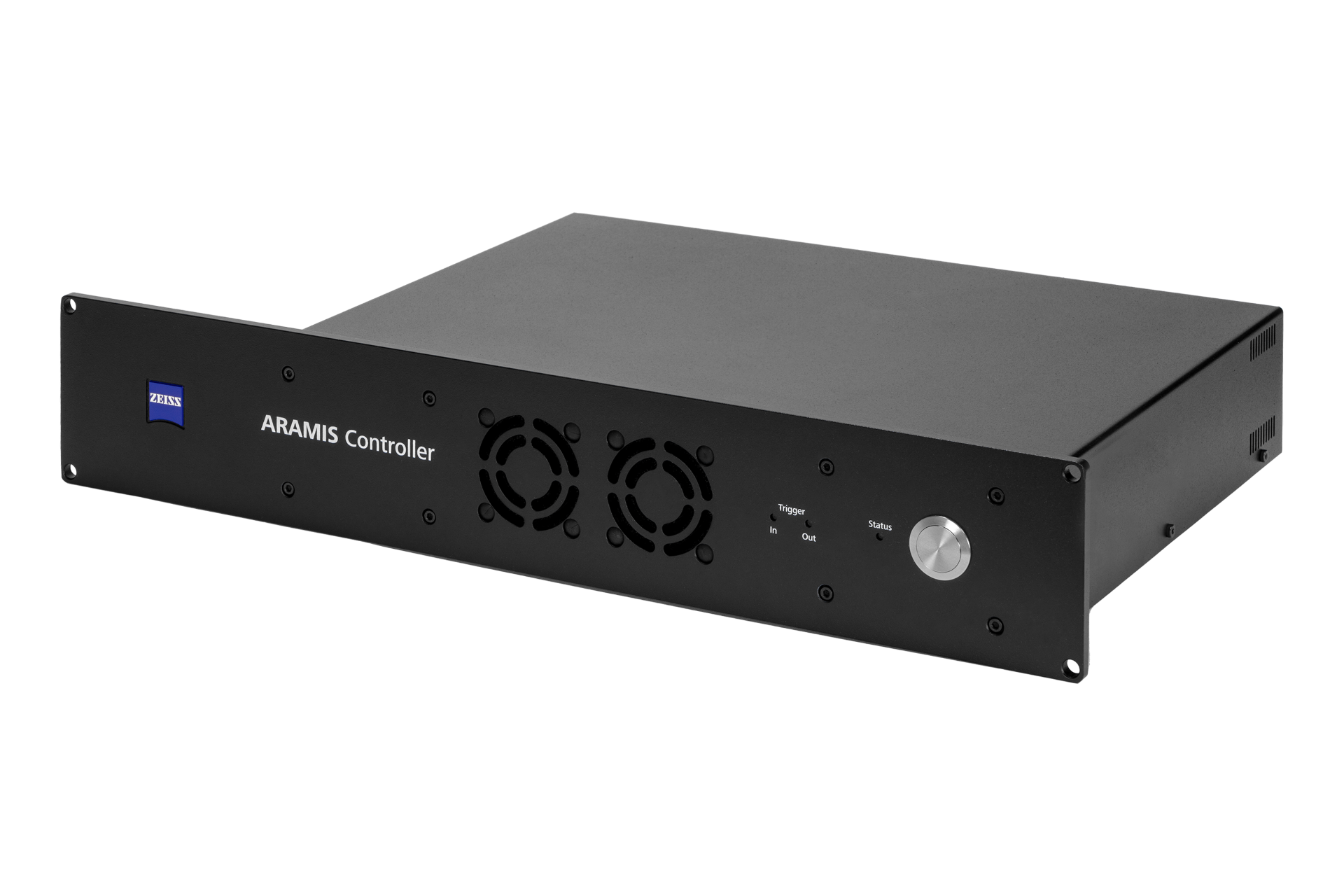
ARAMIS Controller
Connect optical strain and displacement measurements with the conditions applied during your test.
The ARAMIS Controller coordinates compatible cameras and illumination, records external measurement signals and controls image acquisition. Bring force, stroke or other supported signals into the same evaluation as the optical result, with timing and measurement sequences configured around the experiment.
Optical results in the context of the test
What does the ARAMIS Controller do?
A surface strain map shows how a specimen deforms. An external force or stroke signal helps explain the loading at each stage. The Controller records supported signals synchronously with image acquisition, so you can relate the optical response to the test history.
It also provides trigger connections, controls compatible lighting and supports user-defined measurement sequences in CORRELATE. Suitable live results can be passed to other equipment through analogue or digital interfaces.
The camera measures the visible surface. A load cell, test machine or other instrument supplies the external measurement signal. Specify the complete signal path and timing requirement together.
From acquisition to test integration
Four roles in the measurement setup
Record external signals
Acquire supported voltage signals such as force or stroke alongside the images. Apply the correct conversion factor so the result is expressed in the intended physical unit.
Synchronise the test environment
Use trigger interfaces and network time synchronisation to relate compatible devices to the same test timeline. Choose the timing method around the equipment and required precision. Compatible multi-device setups also support synchronised acquisition from several ARAMIS viewpoints.
Control the recording sequence
Build acquisition steps around elapsed time, signal thresholds and external triggers. Capture more stages where behaviour changes quickly and fewer where slower recording is sufficient.
Coordinate compatible illumination
Provide power and control for supported lighting and sensor setup laser diodes. Match the illumination to field of view, surface condition and exposure time.
Connections and technical data
Synchronise images, signals and external devices
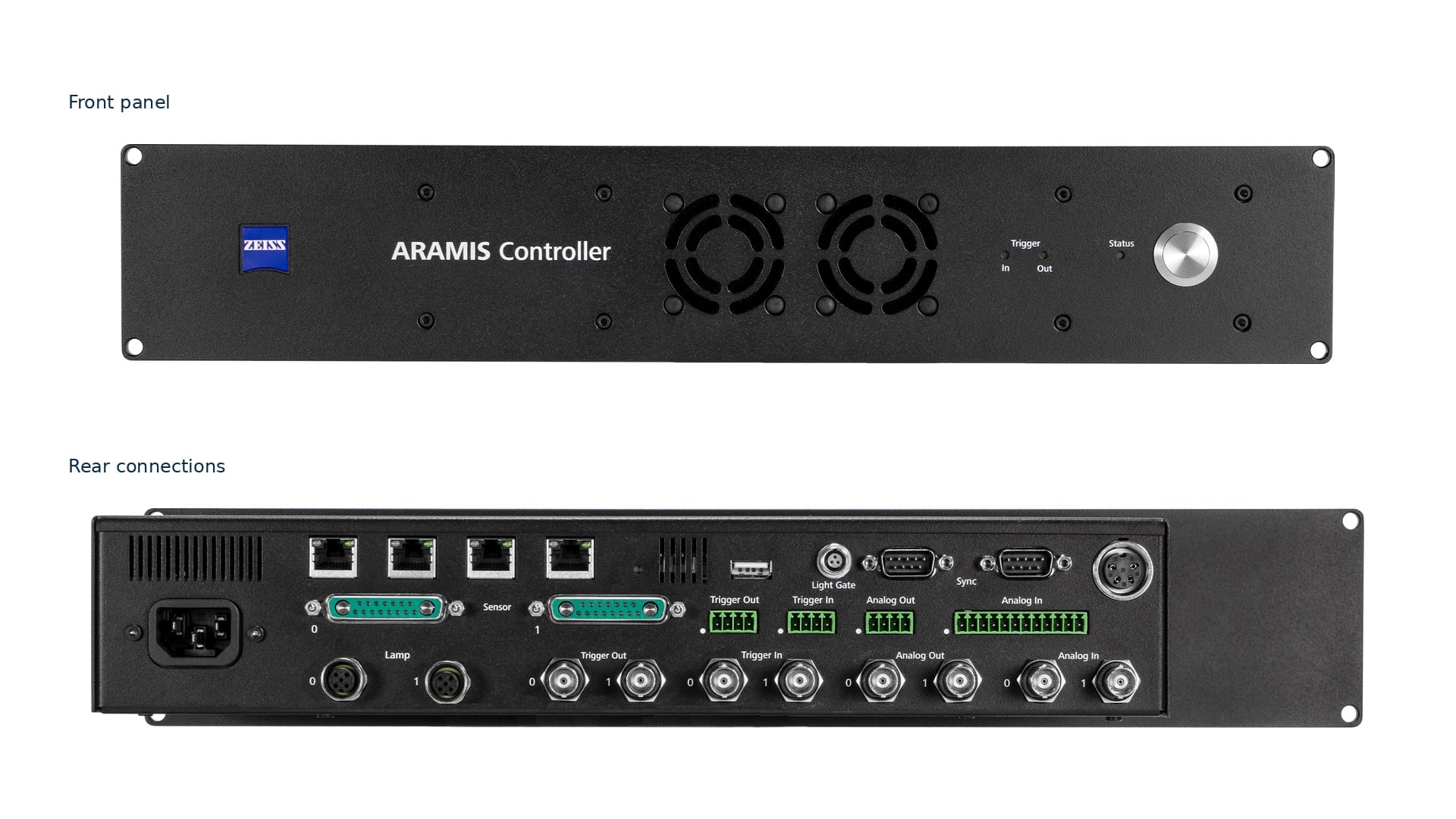
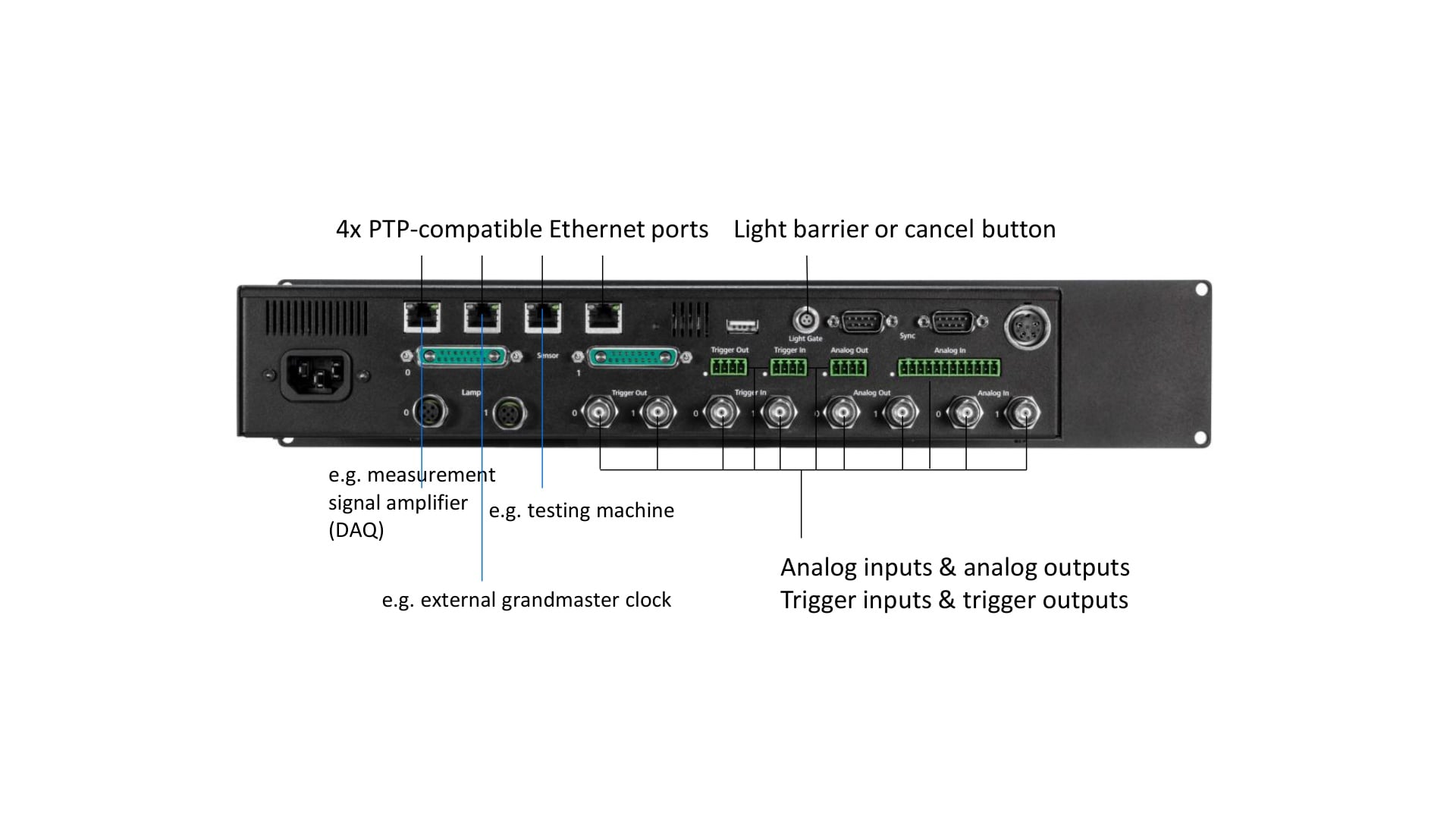
The rear panel combines Ethernet, analogue and trigger connections. Define the connected equipment, electrical interface and timing requirement before configuring the test.
| Interface or function | Controller capability | What to specify for your test |
|---|---|---|
| Analogue inputs | 8 channels, 16-bit resolution, ±10 V. Sampling rate up to 800,000 values/s. | Signal source, voltage range, engineering units and conversion factor. Confirm the sampling arrangement for the configured channels. |
| Analogue outputs | 4 synchronised channels, 12-bit, −10 V to +10 V, up to 500 Hz. | Required live measurement quantity, scaling, receiving equipment and update rate. |
| Trigger inputs and outputs | 4 trigger inputs and 4 outputs. TTL / +24 V interfaces; optically isolated trigger inputs are specified with a maximum dielectric strength of +30 V. | Trigger source, level, polarity and connection type. Confirm electrical compatibility before connection. |
| External triggering | Acquisition can respond to analogue signal values, an external trigger, light barrier or manual trigger button. External devices can be triggered synchronously with adjustable delay. | Start and stop conditions, required delays and the stages needed before and after an event. |
| Ethernet and digital exchange | 4-port PTPv2-capable Ethernet switch. TCP/IP communication and live data exchange with the image-processing computer. | Test machine, measurement amplifier, computer and any external timing source. |
| Time synchronisation | IEEE 1588 / PTPv2 synchronisation in the microsecond range; NTP in the millisecond range. Other standards such as IRIG can be integrated through suitable external devices. | Required timing precision and compatibility of every device in the synchronisation path. |
| Lighting and setup aids | 2 × 24 V power supplies, control of supported ARAMIS lighting and power/control for sensor positioning laser diodes. | Lighting model, power arrangement, exposure and any delay required for pulsed illumination. |
Camera rate, signal bandwidth, software functions and overall timing depend on the complete configuration. Confirm connector assignments and electrical limits for the specific hardware before connection.
Recording matched to the event
Capture the stages that answer the test question
Use external signals and sequence elements to adapt image acquisition as the test progresses. The examples below illustrate acquisition strategies, with thresholds and recording rates set for the actual test.
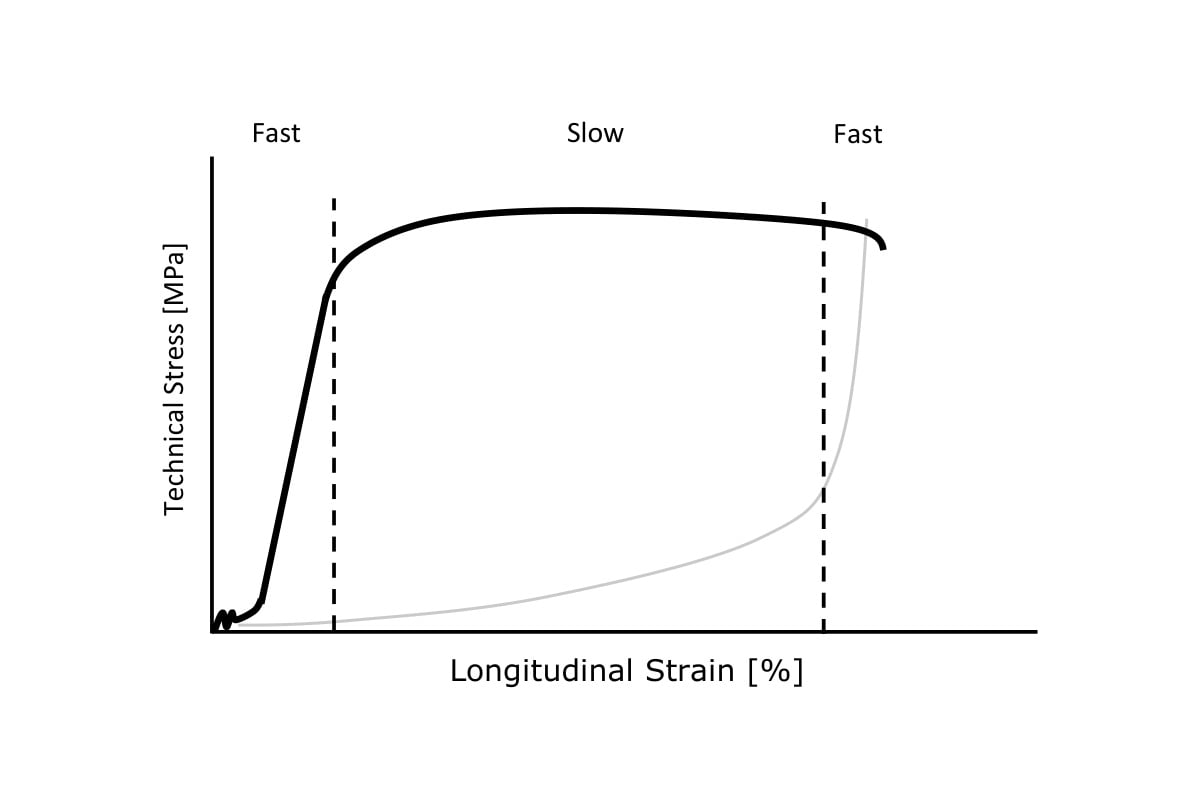
Change recording rate during a material test
Use the force signal to control image acquisition. A tensile test may need more stages in the elastic region and near failure, with slower acquisition through a more uniform part of the response.
Define the transitions in the measurement sequence. The useful rates depend on the sensor, image dimensions and expected deformation speed.
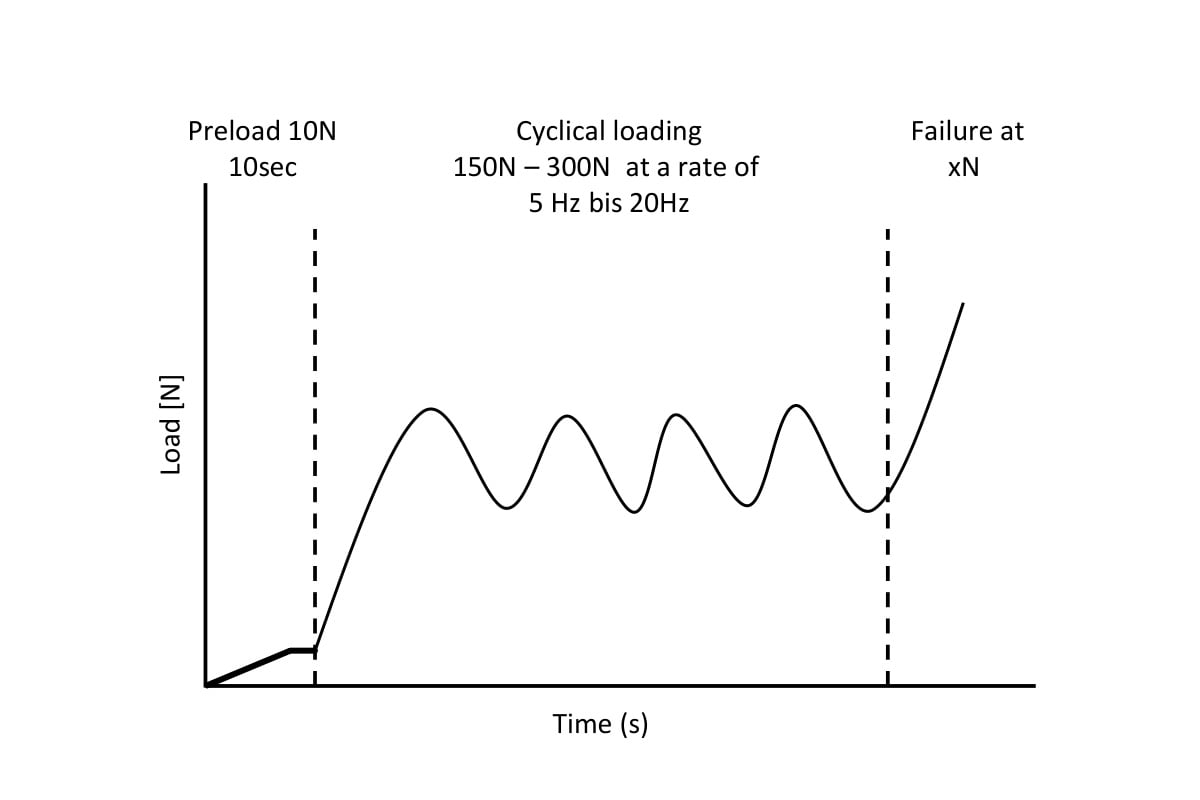
Record selected points in a loading cycle
Trigger images at minimum or maximum force values during cyclic loading. This supports comparisons at corresponding stages of successive cycles without recording every part of the loading history at the same rate.
Specify the force thresholds, cycle frequency and image timing with the test machine signal.
When the time of failure is uncertain
Keep the lead-up to a trigger event
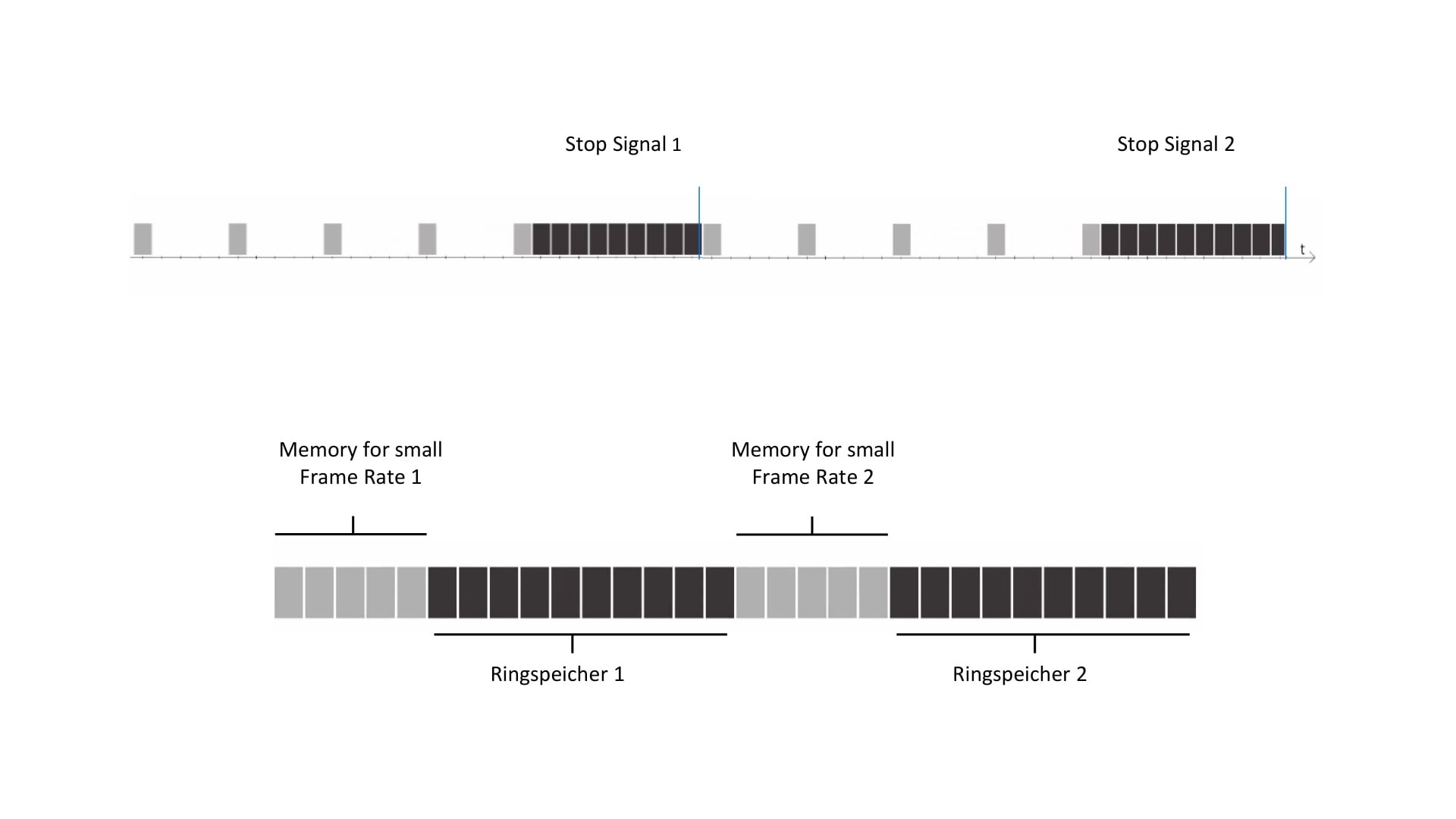
A ring buffer retains a rolling window of recent images. With suitable acquisition settings, a trigger preserves the relevant stages around an event whose precise time was not known in advance.
Sequence elements can combine slower and faster recording, with changes controlled by force thresholds or an external trigger. Several ring buffer elements can be combined for a more complex test.
Plan the buffer size, recording rates, stop condition and required event window together. Memory capacity and the number of saved stages determine how much of the sequence can be retained.
Light management
Keep the surface pattern measurable
Illumination affects image contrast, grey-value distribution and the exposure time available for a clear recording. Select the lighting around the measuring area and surface, then check the complete movement for shadows or reflections.
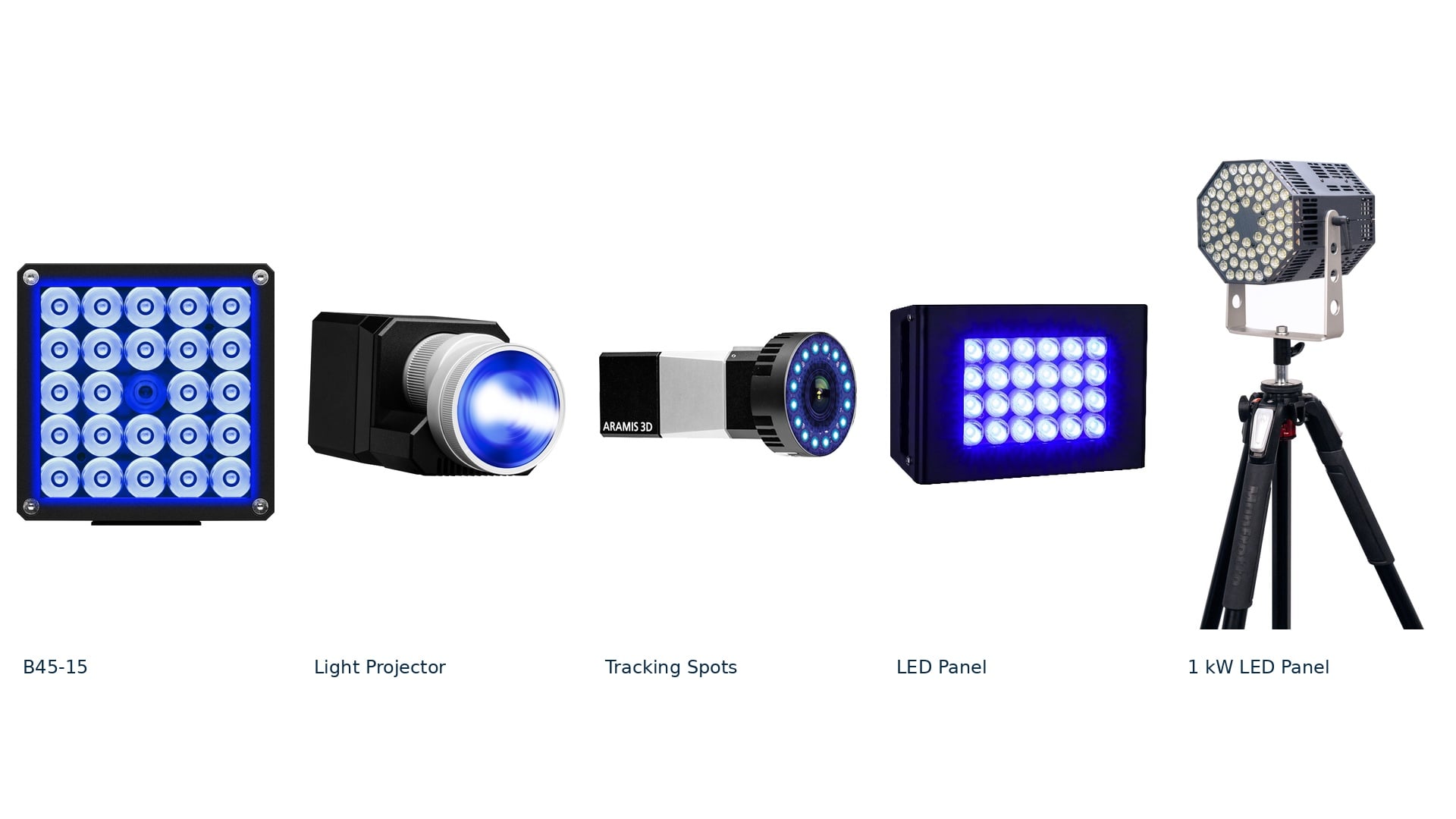
| Lighting option | Lighting characteristics | Typical measuring arrangement |
|---|---|---|
| LED System B45-15 | Blue-light illumination with diffuser options for 15°, 25° or 40° aperture angles. | Small to medium measuring areas. |
| Light Projector | Blue-light technology with light shaping and revolver optics for defined illumination fields. | Small to medium measuring areas; adapt the illuminated field to the test. |
| Tracking Spots | Directional blue light arranged around the cameras, with light returned from point markers. | Medium to large measuring areas and tracking tasks requiring short exposures. |
| LED Panel | Blue-light panel for uniform surface illumination. | Medium to large measuring areas. |
| 1 kW LED Panel | White-light LED illumination over a broad area. | High-speed tests and large measuring areas, with the appropriate power and control arrangement. |
The listed lighting options have different power and integration requirements. Inclusion in this range does not mean every light is powered directly by the Controller’s 24 V supplies. Specify the lighting, external power and control arrangement together.
Signal setup in CORRELATE
Check the signal before the principal test
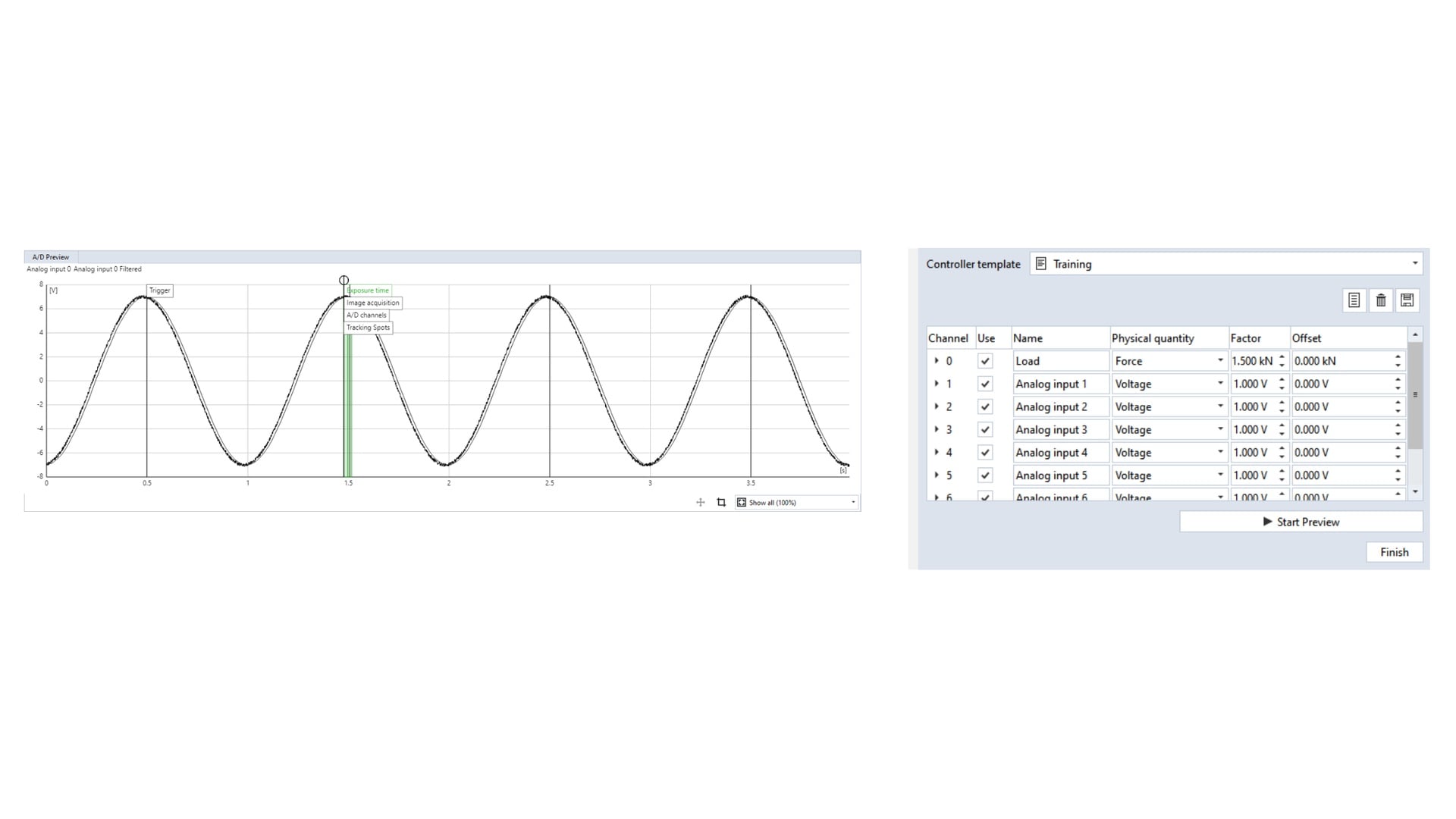
Configure the Controller through CORRELATE. Assign the physical quantity and conversion factor to each input, inspect the signal in the preview and configure supported trigger inputs and outputs.
Filters can help manage analogue voltage signals, but they also affect delay. Check the relationship between the optical result and the external signal after applying the selected settings.
Templates store conversion factors and filter parameters for repeated use or for switching between test machines. Verify the selected template against the connected instrument each time.
Build measurement sequences without writing code
The measurement sequence editor combines acquisition elements in a list. Control the recording using defined time points, elapsed time, external signal values or external triggers.
Use the sequence to set when an acquisition stage starts, how it records and what ends it. Check the complete sequence with the test setup before running the experiment.
Sequence editing, ring-buffer and live acquisition functions depend on the sensor and software scope. Specify the required CORRELATE acquisition options alongside the Controller.
Explore CORRELATE software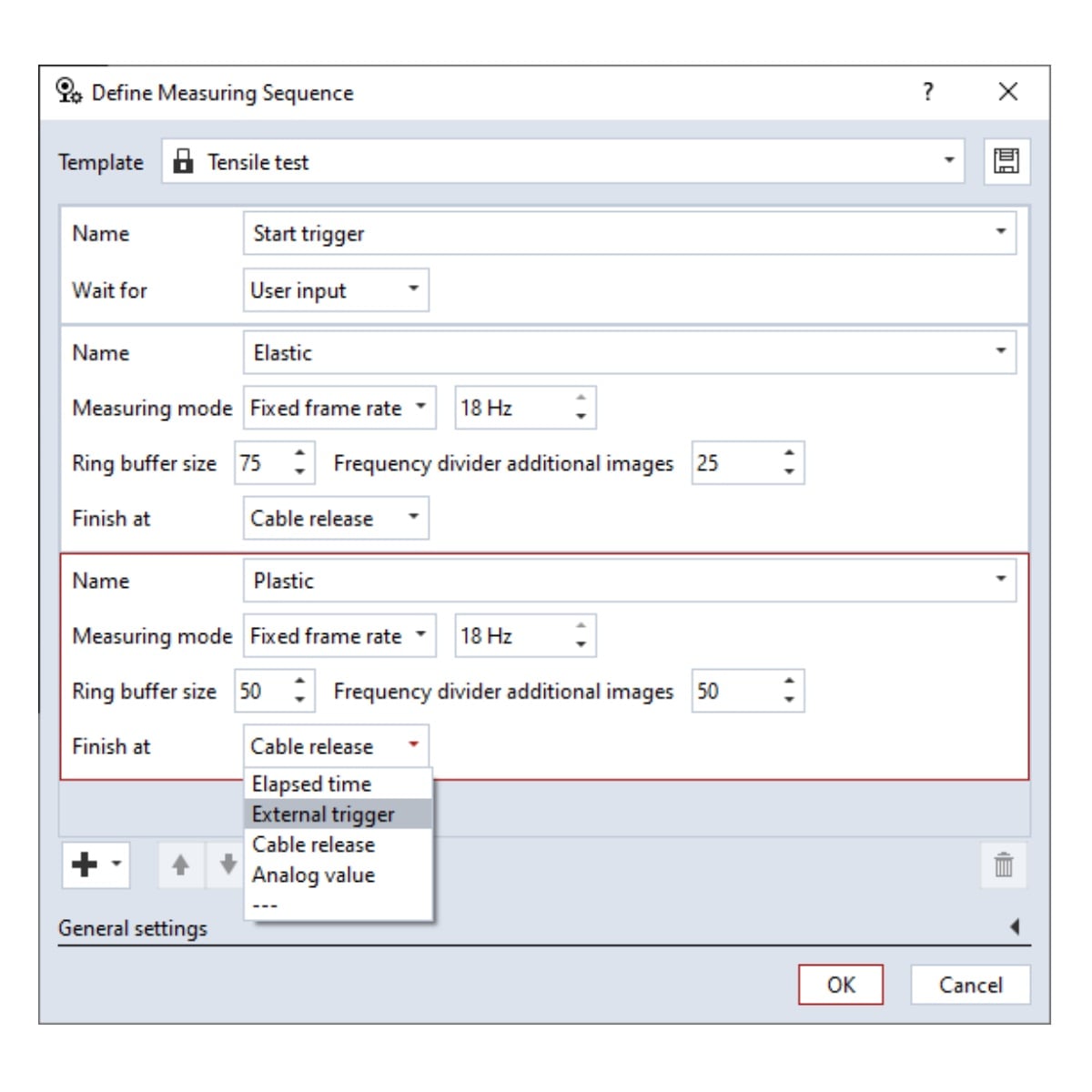
Specify the complete arrangement
Which ARAMIS setup are you connecting?
Discuss Controller integration alongside ARAMIS 1, Adjustable 12M, Adjustable 24M or Adjustable SRX. Confirm sensor compatibility, the available acquisition functions and the equipment supplied in your system configuration.
For ARAMIS 2D, the Controller is an optional extra for supported test synchronisation. ARAMIS High Speed uses a vendor-specific DAQ arrangement selected for its high-speed cameras.
ARAMIS Controller questions, answered
Plan the integration before the test
Does the Controller measure force itself?
A load cell, test machine or another instrument supplies the force measurement. The Controller records a supported electrical signal and uses its configured conversion factor to express that signal in engineering units.
Can I synchronise DIC with a tensile test machine?
Yes, with compatible interfaces and the appropriate configuration. Define the force or stroke signal, electrical range, trigger behaviour and required timing precision so the optical results can be related to the loading history.
What is PTPv2 synchronisation?
Precision Time Protocol aligns compatible devices to a shared time reference. The Controller supports IEEE 1588 / PTPv2 timing in the microsecond range. Overall synchronisation depends on the devices, network and timing configuration.
Can acquisition respond to a force threshold?
Yes, supported external analogue values can control acquisition through the configured measurement sequence. Applications include changing image rate during a test or recording at selected minimum and maximum forces during cyclic loading.
Can the Controller provide live output?
It supports four synchronised analogue output channels with 12-bit resolution, a −10 V to +10 V range and rates up to 500 Hz, plus supported digital exchange. The available live quantities and output timing depend on the acquisition and software configuration.
Does every ARAMIS system include a Controller?
Check the specific package. It is an optional extra for ARAMIS 2D synchronisation. The separately configured ARAMIS High Speed solution uses a camera-vendor-specific DAQ arrangement. For other ARAMIS systems, confirm the supplied Controller and interfaces in the system scope.
Can I synchronise more than one ARAMIS system?
Yes, with a compatible multi-device configuration. ARAMIS sensors can record different or connecting viewpoints of the same test, using primary and secondary roles in CORRELATE to coordinate the measurement sequences. The sensors are calibrated individually, and their results can be aligned using a suitable shared reference where required. Confirm the supported sensor combination, Controller arrangement and software scope with Delta XD.
What should I provide for an integration review?
Send the ARAMIS sensor model, test machine or DAQ details, signal types and voltage ranges, required channels, trigger sequence and timing precision. Include the lighting and the results you need to pass to other equipment.
Talk to Delta XD
Discuss your test connections
Tell us which ARAMIS sensor and test equipment you want to connect. We can help define the signal interfaces, synchronisation, lighting and measurement sequence.
Include the required signal channels, recording rates, trigger conditions and any existing Controller or acquisition hardware.
